Ad insertion
Connect your stream to server-side ad insertion, ours or your own. CDNLive delivers each viewer’s break smoothly, like TV, on every device.
CDNLive takes the stream you already have and plays it on every screen, anywhere, from one viewer link. Your audience, your spend and your settings live in one simple dashboard.
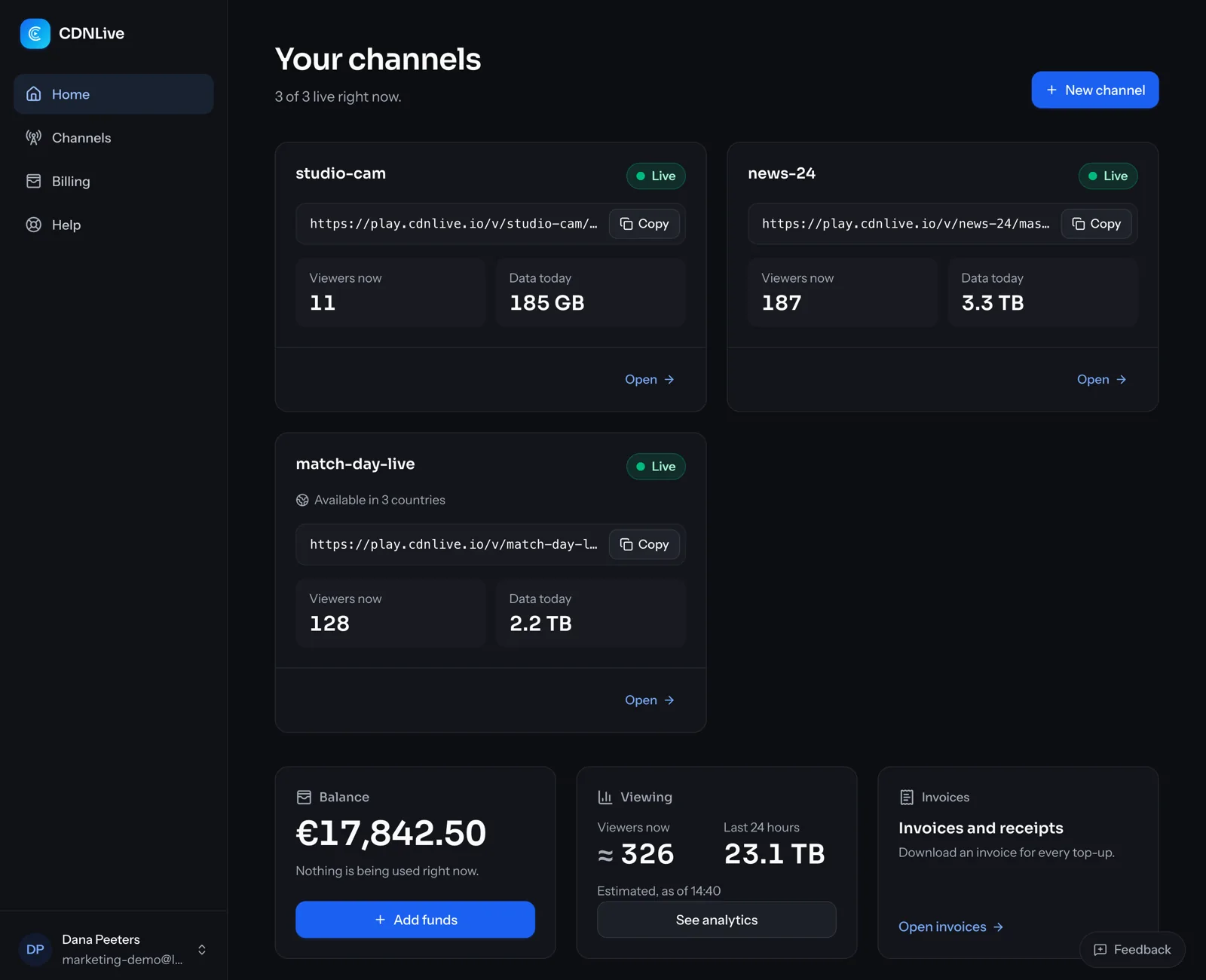
You keep streaming to your own server or video platform. CDNLive fetches the stream from there and plays it for every viewer from a server near them.
Your studio
Camera and encoder
OBS, vMix, a hardware encoder: whatever you use today.
Your server
A stream that plays
Your streaming server or platform gives you a .m3u8 or .mpd address. It plays in VLC or Safari.
CDNLive
Delivered worldwide
A global enterprise network carries it to viewers in 130+ countries.
Your viewers
One viewer link
In your website’s player, your app, or shared directly. Phones, laptops and smart TVs.
All you need is a stream address that already plays (for example in VLC or Safari), ending in .m3u8 or .mpd. CDNLive delivers HLS, MPEG-DASH and CMAF, so you keep the encoder you already trust.
Viewers, countries and spend for every channel, updated every few minutes.
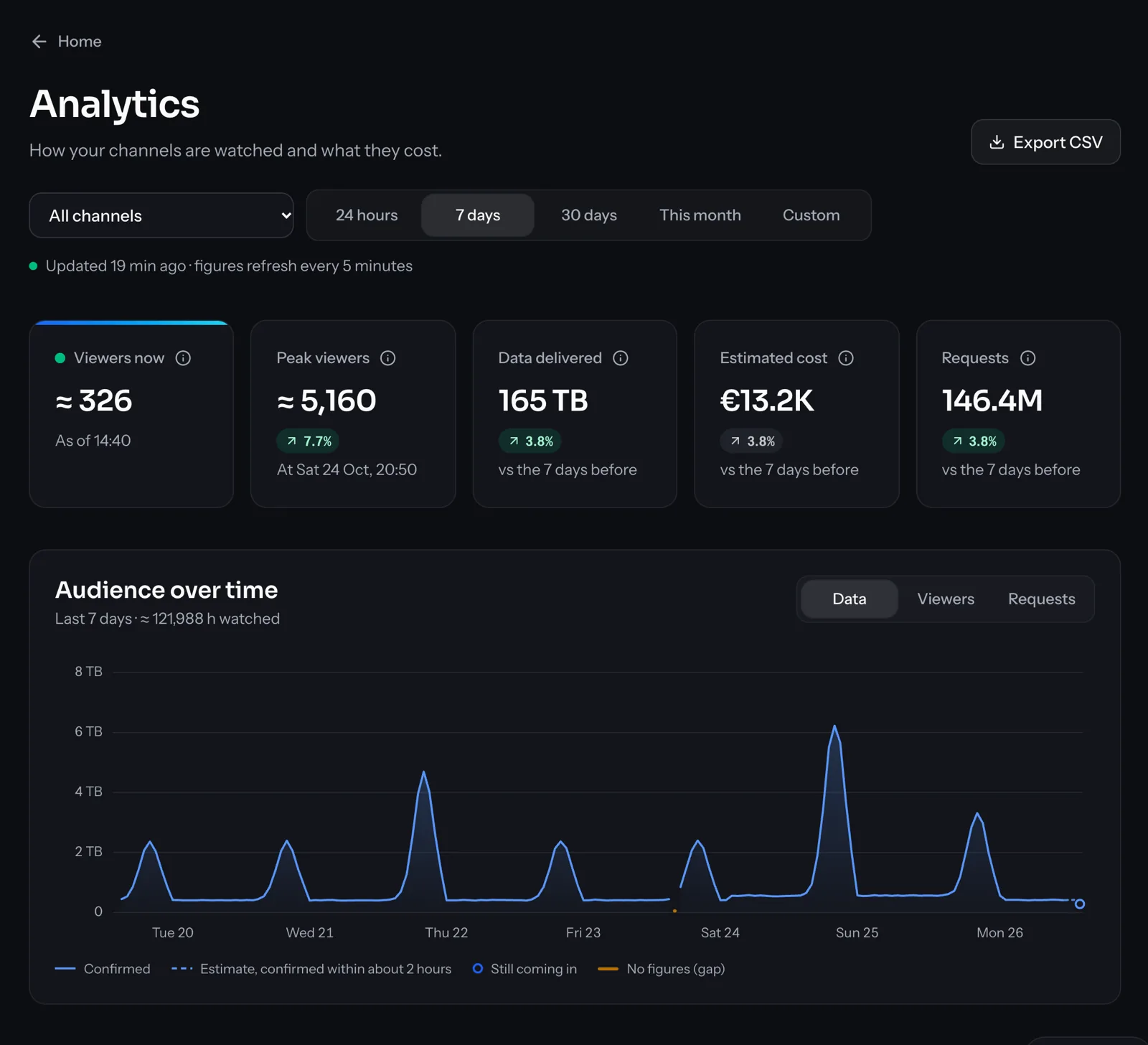
Copy the link or the embed code, and decide who gets to watch.
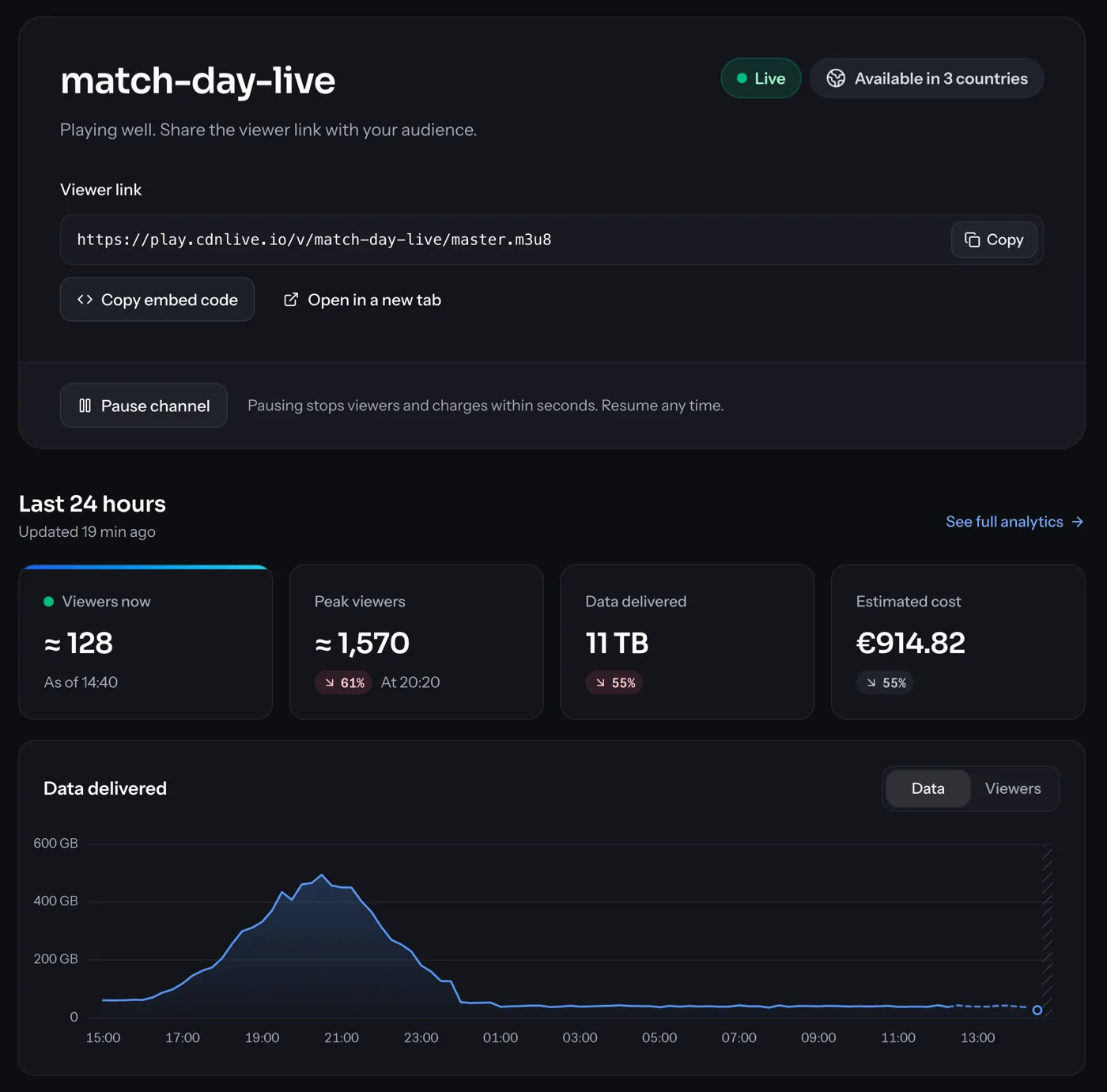
Rights for one country? A local blackout? Each channel has one simple setting.
Who can watch
Viewers in 3 countries can watch.
Quick picks
Countries that can watch
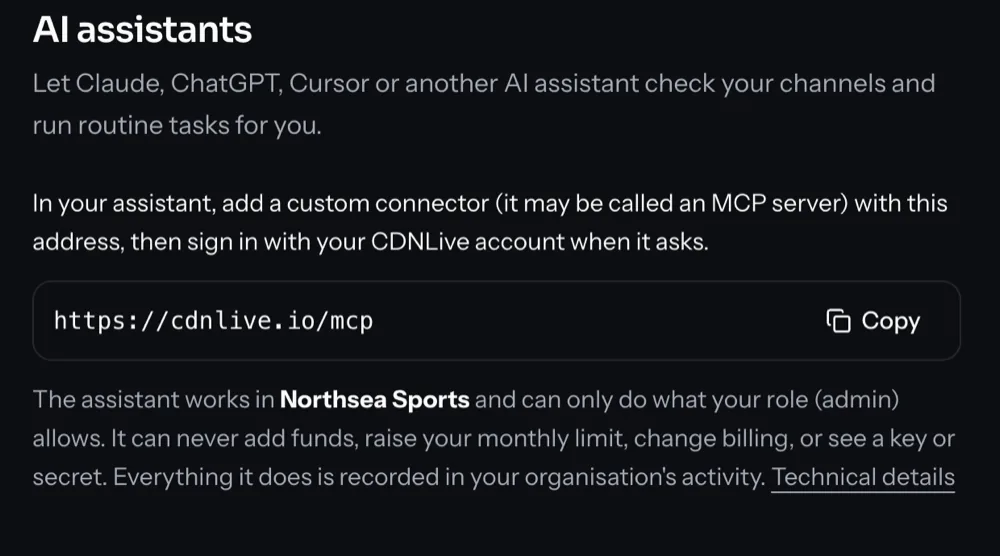
Add CDNLive as a custom connector in Claude, ChatGPT, Cursor or another assistant, then ask in plain words.
What you need, what you get and what it costs, on one page. Missing something? Ask us.
| What you need | A stream address that already plays (for example in VLC or Safari), ending in .m3u8 (HLS) or .mpd (MPEG-DASH). You keep sending your stream to your own server or platform; CDNLive fetches it from there. |
|---|---|
| Formats | HLS and MPEG-DASH live streams, including CMAF packaging, with adaptive bitrate. Not yet: low-latency HLS (LL-HLS) and low-latency DASH. CDNLive does not encode or package. |
| Viewer link | https://play.cdnlive.io/v/{channel}/…, with HTTPS included, plus embed code for your website. Custom domains are not offered yet. |
| Setup and changes | We email you the moment a new channel is live. Pausing, resuming and changing who can watch take effect within seconds. An email at every change. |
| Stream protection | Only CDNLive can fetch your stream: a secret header on every request to your server, on by default for new channels. Optional viewer links that expire (signed links). |
| Who can watch | Per channel: everyone, only viewers in the countries you choose, or everyone except them. Quick picks for groups of countries. |
| Analytics | Viewers now and at the peak (estimated), concurrent viewers over time, data delivered, estimated cost, requests, countries, share served from cache and failed requests, per channel, with CSV export. About 15 minutes behind, final within about two hours. |
| AI assistants (MCP) | An MCP server for Claude, ChatGPT, Cursor and others, with sign-in or personal access tokens. Reads and channel changes within the person’s role; never credit, limits, billing or secrets. |
| Delivery price | €0.075/GB to 10 TB a month, €0.070/GB to 50 TB, €0.065/GB beyond. In US dollars: $0.090, $0.070 and $0.055/GB. Each rate applies only to the volume in its band. 1 TB = 1000 GB. Prices exclude VAT. |
| Billing | Pay as you go in EUR or USD (chosen on the first top-up), from €25. Low-balance emails, an optional monthly budget and a VAT invoice for every top-up. |
| Network | A global enterprise network built for live video, reaching viewers in 130+ countries. |
| Contract | None, and no monthly fee. |
| Ad insertion | Coming soon Not available yet. Server-side ad insertion (SSAI), managed by CDNLive or your own SSAI service, at the SCTE-35 markers in your stream; CDNLive delivers each viewer’s ad session, playlist and ads. Managed by CDNLive. Indicative, at launch: €1.35 ($1.50) per 1,000 ads inserted. Nothing is charged for it today. |
| Encoder ingest | Coming soon Not available yet. Sending RTMP or SRT straight to CDNLive. Today you need a stream address that already plays. |
| Availability | Open for sign-up. Create an account, add credit and start a channel. |
Two more ways to grow your stream are on the way. Join a waitlist and be the first to try them.
Connect your stream to server-side ad insertion, ours or your own. CDNLive delivers each viewer’s break smoothly, like TV, on every device.
Send RTMP or SRT straight from OBS, vMix or a hardware encoder, and we turn it into a stream viewers can watch.
Still unsure? Ask us, or read every answer.
You need a stream address that already plays (for example in VLC or Safari), ending in .m3u8 (HLS) or .mpd (MPEG-DASH). It usually comes from your streaming server, encoder service or video platform, where it is called the “HLS playback URL” or “playlist URL”. You keep pushing your stream there exactly as today; CDNLive fetches it from that address and delivers it worldwide. If you only have an encoder such as OBS sending RTMP or SRT, you need a streaming server in between for now — sending straight to CDNLive is coming soon.
Three steps. Top up your balance (from €25 or $25). Paste your stream address, and CDNLive checks that it plays before anything is set up. Then share your viewer link, or paste the embed code into your website. The link looks like https://play.cdnlive.io/v/your-channel/master.m3u8, and we email you the moment the channel is live.
A new channel is usually live within 15–30 minutes, and we email you the moment it is. Changes to a running channel, such as pausing, resuming or its security settings, reach viewers within seconds. You get an email at every change, and the channel page updates by itself. A new account can start its first channel as soon as its balance holds €25 or $25; there is no waiting to be switched on.
Create an account at cdnlive.io with your email, or continue with an account you already use. Top up from €25 or $25 and start your first channel. There is no contract and no sales call.
Yes. Each channel has one setting, Who can watch: everyone, only viewers in the countries you choose, or everyone except them. Pick countries one by one or use quick picks for groups such as the 27 EU countries; Belgium, the Netherlands and Luxembourg; Germany, Austria and Switzerland; the Nordic countries; or North America. A change takes effect within seconds and you get an email when it does. Viewers who are blocked see an error in their player; the viewer link stays the same for everyone else.
It is accurate for the vast majority of viewers. Treat it as a strong rights control, not a guarantee against every determined viewer.
Yes. Add CDNLive as a custom connector (an MCP server) in Claude, ChatGPT, Cursor or another assistant and sign in. Within your role, it can check your balance and channels, read analytics and top countries, test a stream address, create, pause, resume or delete channels, change who can watch, and open support tickets. Deleting a channel or blocking viewers needs your explicit confirmation.
An assistant can never add funds, raise a spending limit, change billing details, or see a key or secret. It works in one organisation only, every action is recorded in your organisation’s activity, and you can disconnect it at any time under Settings → AI assistants.
HLS (.m3u8) and MPEG-DASH (.mpd) live streams, including CMAF-packaged ones, with adaptive bitrate. The stream must already play from its address before you create the channel; CDNLive checks it for you.
Not in the first release. CDNLive delivers standard HLS, MPEG-DASH and CMAF. Low-latency HLS relies on partial segments and blocking playlist reloads, and low-latency DASH on chunked-transfer delivery — both change how the edge must handle manifests and segments, and we would rather support them properly than claim them early. If glass-to-glass latency below a few seconds is a hard requirement for you today, tell us and we will be straight about whether we are a fit.
Not yet — ingest for encoders without a streaming server is coming soon. Today CDNLive fetches an HLS or DASH stream from an address that already plays. If your encoder only sends RTMP or SRT, use a streaming server or platform that turns it into HLS, and join the ingest waitlist on the contact page to hear when direct ingest opens.
Egress is the data your viewers actually download from the edge — manifests and media segments. CDNLive bills on edge bytes delivered, measured in gigabytes, where 1 TB = 1000 GB. You are not billed for data between your origin and the edge, and you are not billed for requests.
Edge caching means many viewers requesting the same segment result in one fetch from your origin, which is the main protection your origin gets — the analytics show how much was served from cache. A dedicated origin shield tier is not something we expose as a customer-configurable feature today.
They will, with server-side ad insertion, which is coming soon and not available yet. SCTE-35 markers in your stream signal where an ad break starts and how long it runs. CDNLive will call your ad decision server, which responds with VAST or VMAP, and stitch the returned creatives into the manifest before it reaches the viewer. Today, CDNLive delivers your stream as it is and does not insert ads.